LOCKED DEVICES AND EMERGENCY SITUATIONS
Gain access to locked devices, and save lives.
Smartphones are great. We have them always—or most of the times—with us because they serve us regularly in our daily activities. We have integrated them in every aspect of our lives. For most smartphones, usability comes with security. That is why they have at least one lock system. Lock systems permit unauthorised persons to have access to the device. We can set up a pin lock, a face lock, a pattern lock or a password lock. When we think about these locking features and the sensitive information our phones have regarding us, we consider that they awesome and on point. However, are they entirely indispensable? What happens in case of an emergency? Let us say you are a victim of an accident or some other unfortunate incident that does not permit you to unlock your phone yourself or even direct another person to do so, what will happen? Aw, that is the hitch of locked devices! In such situations, your phone becomes typically useless.
Fortunately, there is a way of circumventing this. This article is a walkthrough that should prevent you have being a victim of such circumstances. With this walkthrough, someone can call a number that you must have designated as an emergency number prior to the hypothetical accident or incident.
Here is what you will read:
- What an emergency number is
- How to set an emergency message on a locked device
- How to set a number from your phonebook as an emergency number
- How to call an emergency number on a locked device
- A non-exhaustive list of Cameroonian security emergency numbers
Note: The following tips are meant for phones running the android system in general and the itel A56 Pro in particular. Many—if not all—android devices support emergency numbers, and emergency messages on locked screen. However, setting up one depends sometimes on the phone and android version. Be keen while browsing through your phone’s settings.
1. What an emergency number is
It is a number that offers emergency services. It could be a police’s hotline, the fire-fighters’ hotline, a hospital’s landline, your parents’ numbers, etc. It is worth noting that, though some of these numbers are toll free numbers, they should never be objects of call pranks, as they may not intervene when you indeed need emergency assistance.
2. How to set an emergency message on a locked device
- Go to Settings
- Go to Security (& location)
- Go to Screen locking settings
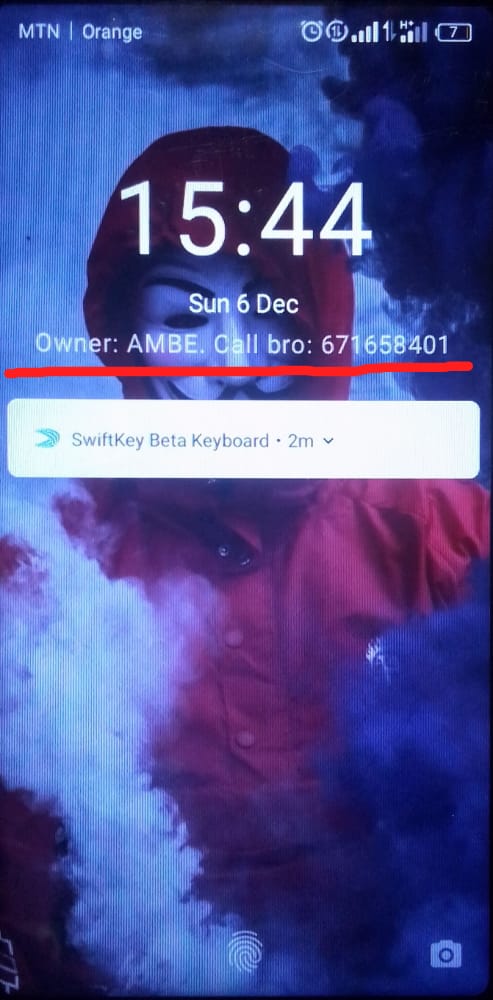
- Click on Lock screen message
3. How to set your contact as an emergency number
- First, lock your device
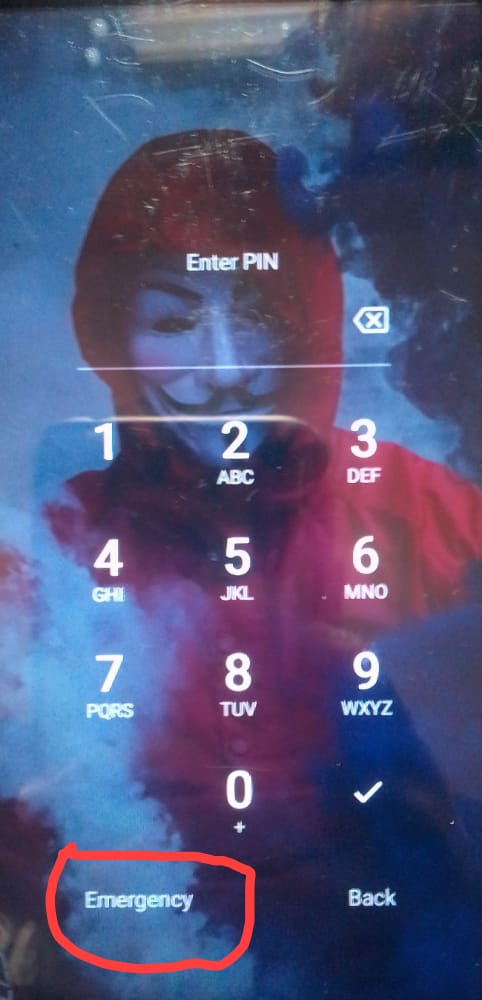
- Click on Emergency that is visible when you try unlocking your device
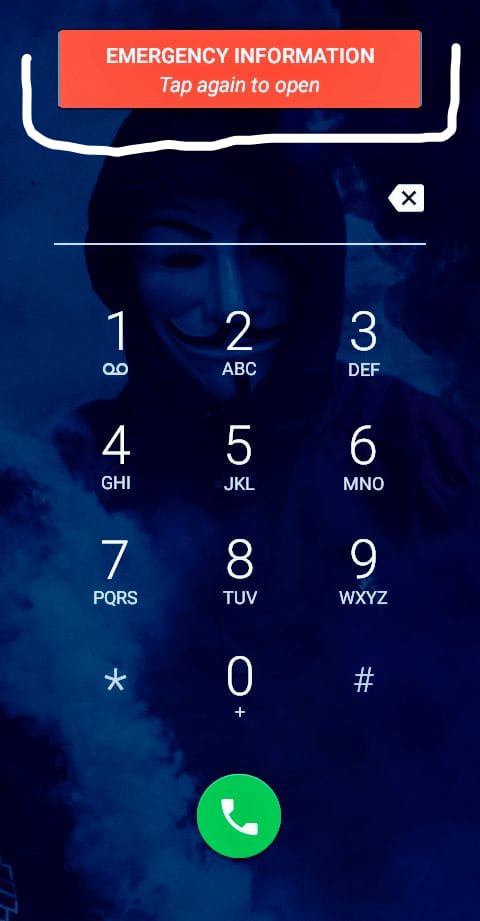
- Click on Emergency Information (some devices require that you click twice)
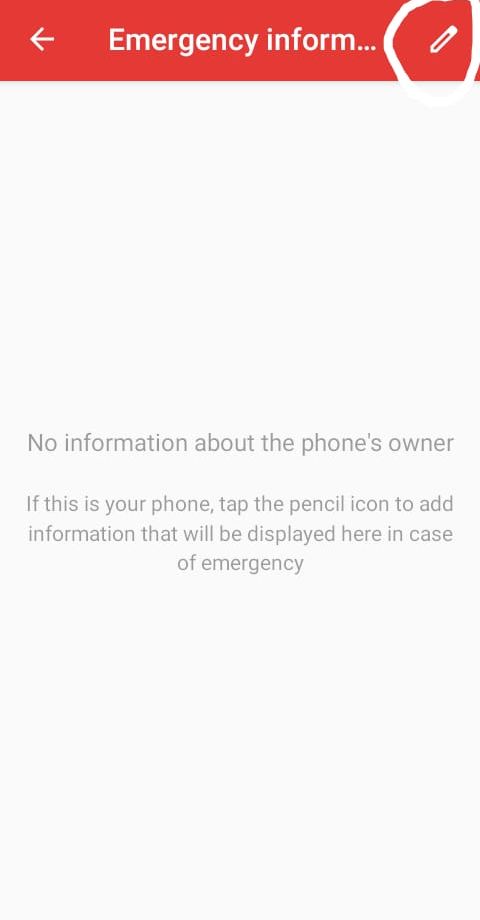
- Click on the pencil (edit) icon at the top-right corner of the screen
- You will be required to unlock your device
- Click on Edit information for your personal and medical information
- Click on Add contact to add your emergency numbers
- Browse through your contact list to add your emergency number
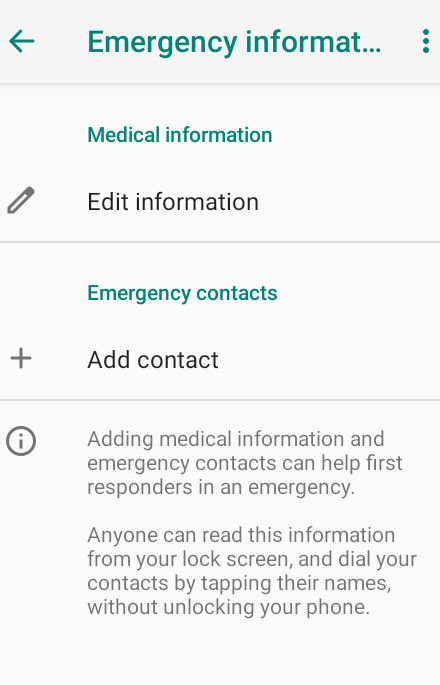
Tip1: Your emergency number should ideally be someone who is prompt to answer their calls and who is close to you; and who will react promptly in case of an emergency concerning you.
Tip2: You should save security emergency numbers (like 117, 118) to your phonebook in order to add it as an emergency number.
4. How to call an emergency number on a locked device
- Try unlocking the device
- Click on Emergency
- Click on Emergency Information (some devices require that you click twice)
- Click on Info in order to know the person with whom you’re dealing
- Click on Contacts to choose a contact to call
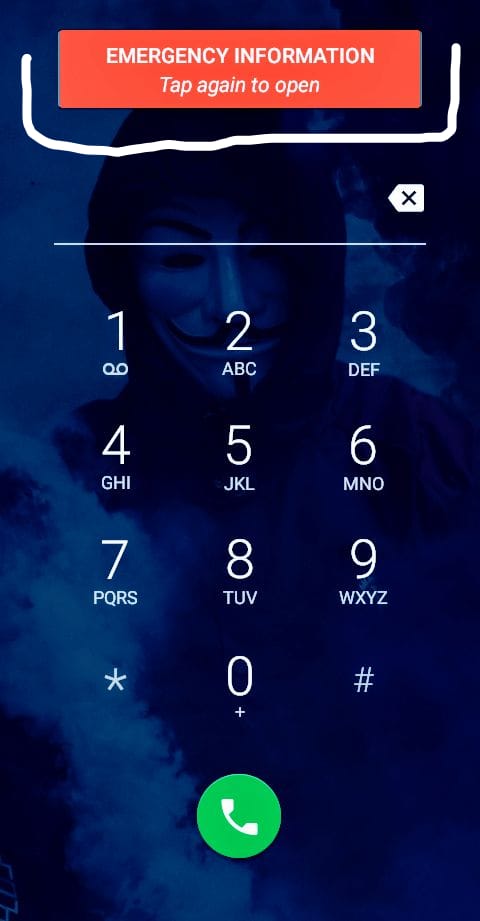
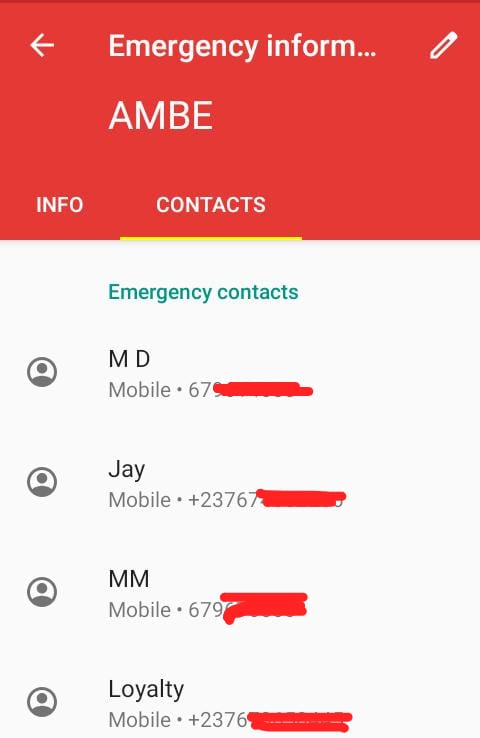
Note: This is only possible if the device’s owner has previously set Emergency contacts.
5. A non-exhaustive list of Cameroonian security emergency numbers
The list below is presented solely as a reference and, I do not endorse the quality, the availability, the professionalism and/or the promptness of the services rendered by any of these entities. Equally, the order of occurrence does not give primacy of one entry over another.
- Call 112 for emergency
- Call 117 for Police (ESIR)
- Call 1500 for General Delegation of National Security
- Call 120 for Diplomatic security
- Call 119 for Ambulance
- Call 113 for Gendarmerie
- Call 118 for Fire fighters
- Call 8010 for ENEO for emergencies related to electricity
- Call 1510, 677 899 369 or 677 894 364 for COVID-19 related emergencies
You can equally visit the National Security and Cameroon Plus websites for emergency numbers of particular regions.