Search Google like a pro
Get the best out of the Internet with these tips
Google Search is undoubtedly the biggest and fastest search engine in the world. This is so because Google invests so much money in their technologies, and is ever privy for trends and its users’ data, something many people consider intrusive. DuckDuckGo has made it its niche. Google has achieved and maintained this notoriety majorly through these methods: users’ privacy data (videos watched, ads clicked on, website visited, user’s location, device owned, etc.), Google Crowdsource, Google Local Guide, Android, Google Trend, Google Translate, Google Word Coach, and these.
Even though Google Search’s engine is powerful, it may happen that you do not receive the appropriate results for your searches. If you do not know how to search the Internet accurately, you shall spend much time and may not get productive results when you search, as you should.
What you’re about to read:
SIMPLE SEARCH TIPS
- Include location
- Check on the next 99 pages
- Be precise and concise
- Keyword search
DefineTranslateWeather
ADVANCED SEARCH TIPS
- Operators and symbols
- $
- “”
- –
- or
- +
- *
- ..
- :
- # and @
- /
- %
EXPERT SEARCH TIPS
- Use filters
SIMPLE SEARCH TIPS
Include Location
When you search for the weather, what is the use of receiving Ghana’s weather when you are in Cameroon, and you do not have any dealings with Ghana? Include specific or regional locations in your searches. For example, a student of an African History course who searches for “Long serving presidents in Africa” will receive more appropriate results than would another student of the same course searching “Long serving presidents”. If you need a house in Bonaberi, Douala, it would benefit you to search for “houses in Bonaberi, Douala”.
Use the auto-suggestion feature
Do you see those words that pop up when you’re typing in your query? Clicking on them is like telling Google Search, “Good job, keep up”. The more you click on it, the more accurate and relevant the predictions before. Stop typing out all your queries.
Check on the next 99 pages
Rather than changing your search entry, check on the next pages. Did you know that some search results top up to 100 pages? Not every piece of content on the Internet is ranked on the first pages of search engines. There are content on the Internet that may be related to your search query, but they still do not show up when you search for related content. Even though Google strive to show only related content when you use Google Search, some malicious SEO techniques still permit websites with no related content to be ranked on the first pages. Consequently, the useful websites for your search stay on the subsequent pages of the search results. Generally, the farther the pages, the less related will be their content, but it is not always so.
Social Media search
Is the term or word you are searching for trending on social media? If yes, you do not need to search the entire web for it. Use Google Search to search only social media platforms. This means that results shown will be from social media platforms. For example, if you search @EndSars or #TrainingDay, with the AT and pound signs, your search results will be derived from social media platforms.
Be precise and concise
Google Search functions this way: it searches for each word of your search query in websites and shows websites that have the most of them. So, remove words that aren’t essential to your query as a whole. Equally, someone who searches for “drugs for headaches” will receive more appropriate results than someone who searches for “drugs to take when my head hurts” because people are susceptible to writing “headache”.
Keyword search
Thanks to Web 3.0, the semantic Web, you can “search exactly as you think” by using specific keywords.
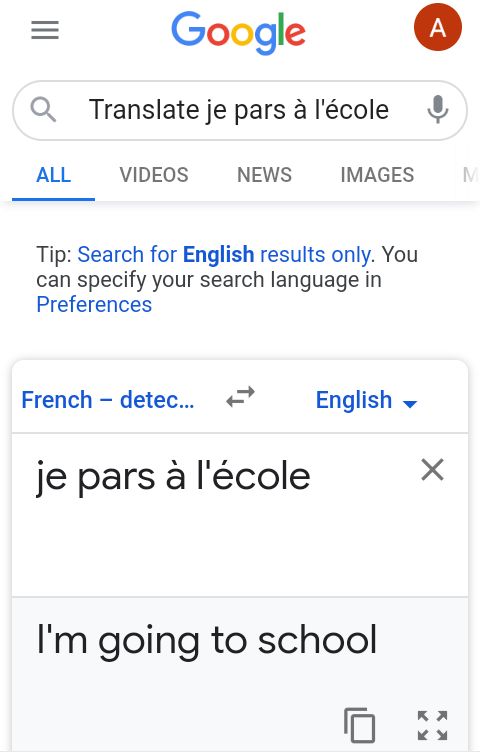
- If you want the translation of “Je pars à l'école” in English, include Translate before “Je pars à l'école”.
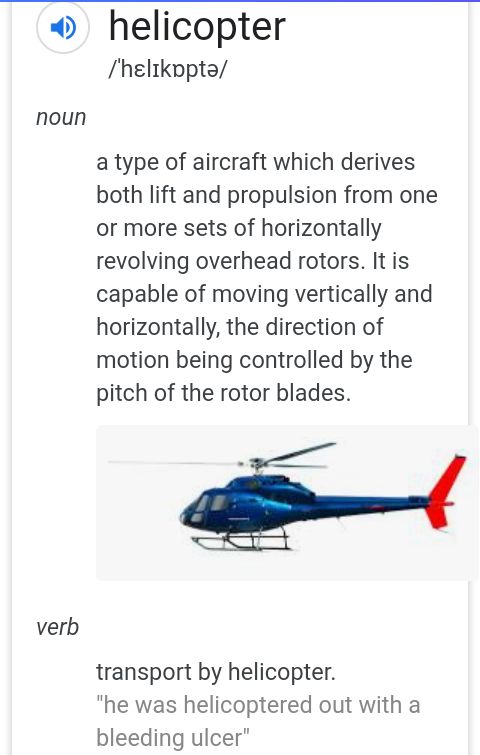
- If you want the definition of a word or concept, put “define” before the search query. For example, “Define helicopter” will give you the dictionary meaning of what a helicopter is and you could even hear the word's pronunciation.
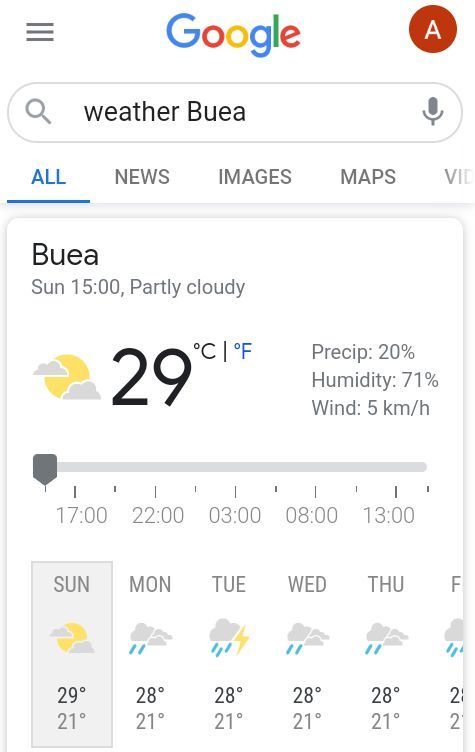
- If you want the weather forecast of a place, place “weather” before the name of the place. For example, “weather Buea” will give you Buea’s forecast.
- Search for similar or related content by using “related:” before your query. For instance, “related: Before Sunrise” will give you movies related to Before Sunrise.
Search operators and symbols
You can use symbols to narrow down your search for precise results. Symbols like -, +, #, %, can be used in this manner:
- –
Use a hyphen within your search query to exclude a term, if you believe it may be ambiguous. For example,
- $
Use a dollar sign before a number for price. For example, “cars $500000” will give this results:
- ..
Using two dots will give you results with a certain range. For example, “shoes $300..$500” will show this:
- “ ”
Use quotation marks around your search results for an exact matches. For example, «“Oratory Skills”» shows this:
- Or
Using “or” for comparison in your search will give combined results. For example, “Bike or motorcycle” shows this: